Know it'll play on their side
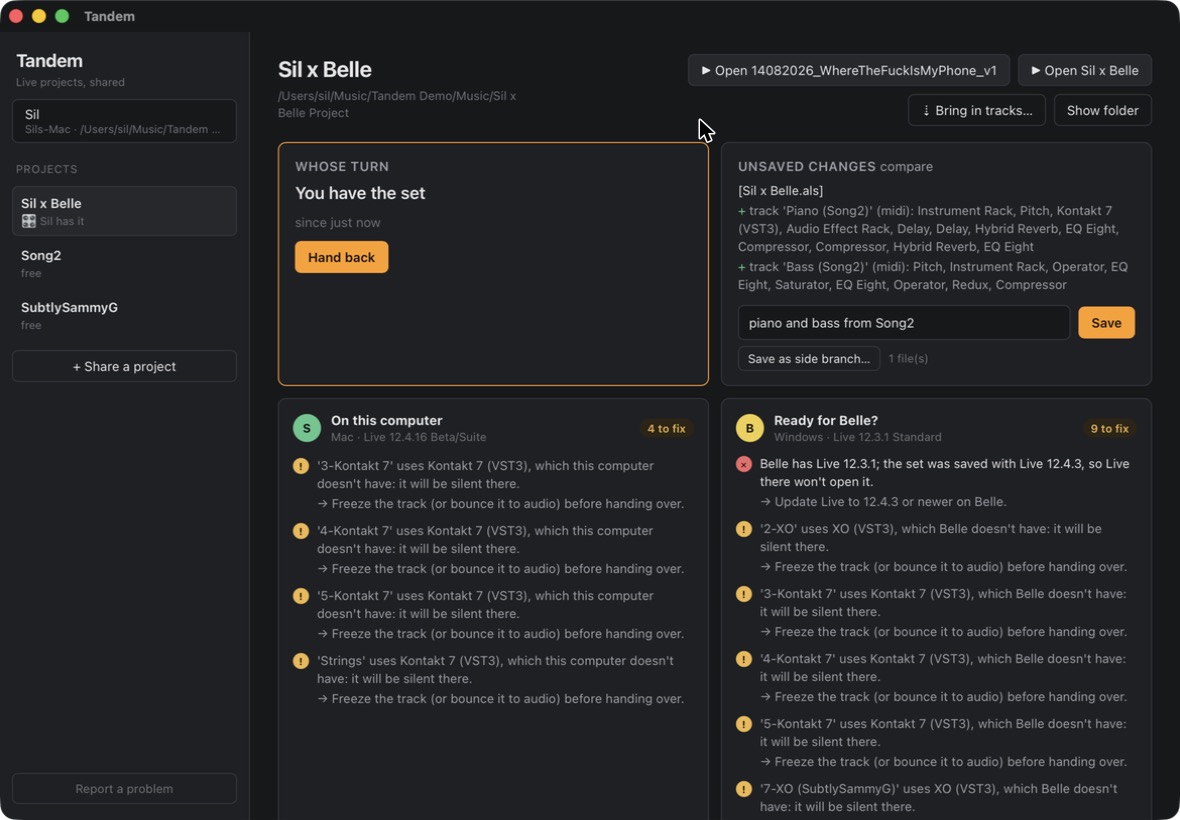
One card per computer shows what will break there and how to fix it: freeze or bounce the track with a plugin they don't have, swap the AU for the VST3, collect samples that live outside the project, or update Live.
 Tandem
For two people on one Live project
Tandem keeps one Ableton Live project between two computers. Take turns on the set, save versions with a readable list of what changed, and see before you hand it over whether the other person can actually play it.
Mac and Windows. Works with Ableton Live 12 and the Dropbox you already have.
You both saved. Now there are two sets and nobody knows which one has the good bassline.
Their synth isn't on your computer, or it's the AU version and you're on Windows. You find out when the track plays nothing.
Song_v7_final_FINAL.als. Going back means guessing, and copying tracks between sets is a chore.
Pick your Live project folder. It stays where it is. Your collaborator clicks Get a copy on their computer.
Before you start, take the set. You get the newest version, and the other person sees it's your turn.
Work in Live as usual. In Tandem, write a few words and save: it lists what changed for you, like tempo 120 → 124 or + track 'Pad'.
Tandem checks the set first: missing plugins, AU vs VST3, an older Live version, samples outside the project. Then it's their turn.
One card per computer shows what will break there and how to fix it: freeze or bounce the track with a plugin they don't have, swap the AU for the VST3, collect samples that live outside the project, or update Live.
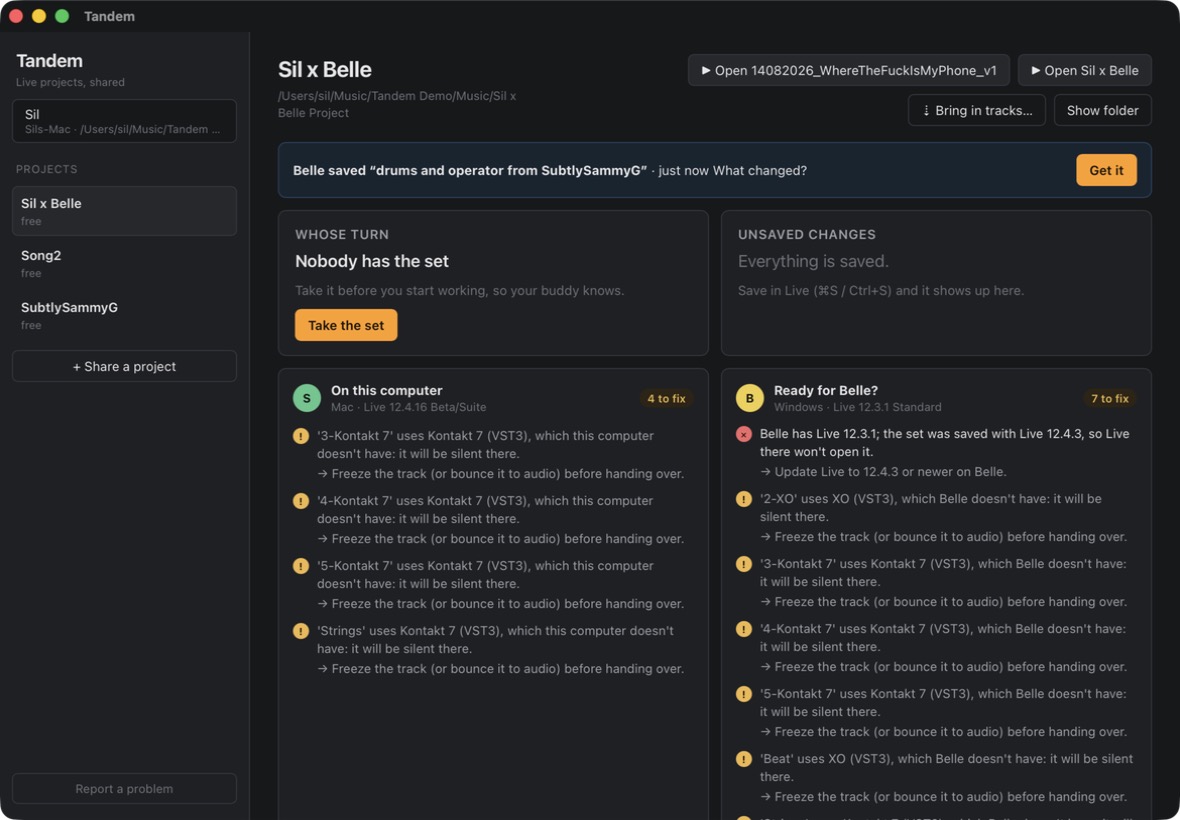
A timeline of who saved what and when. Compare any two versions as an arrangement overview: which clips are new, moved or gone. If you both saved at once, Tandem shows both versions and lets you pick, instead of making a mess.
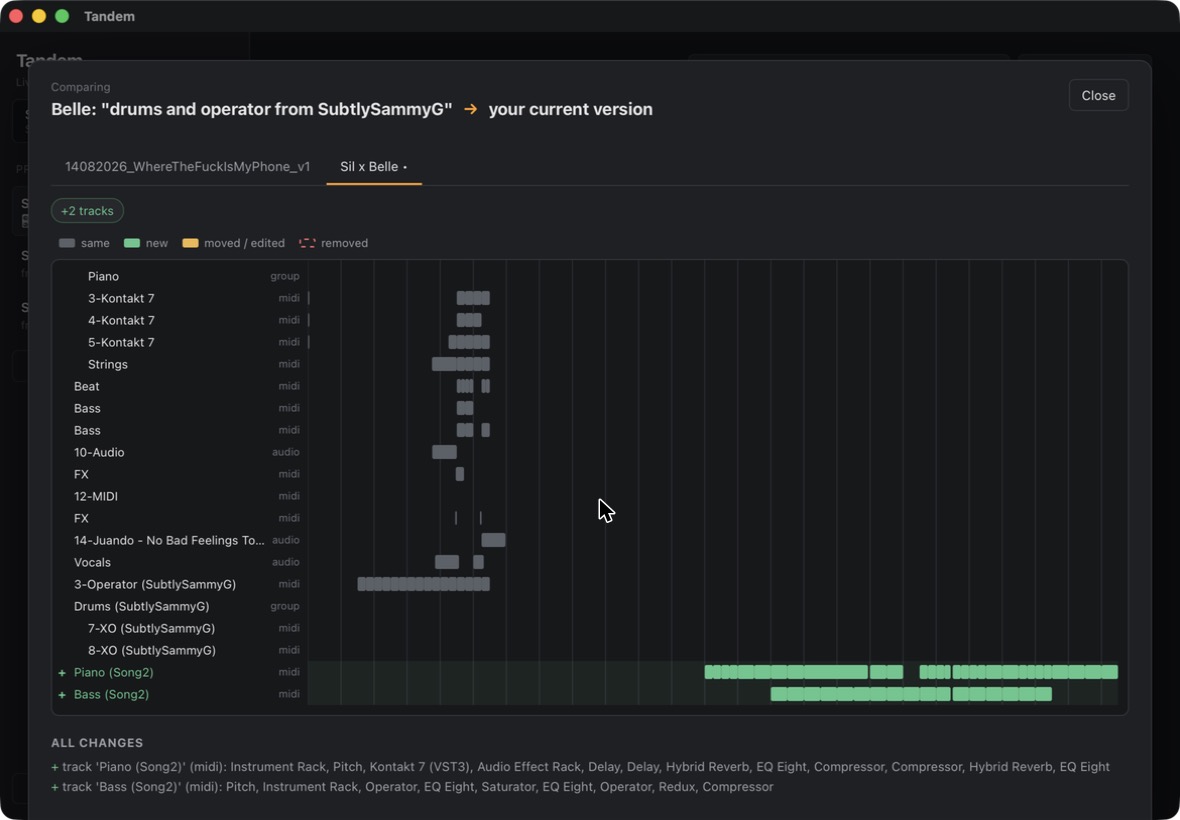
Copy tracks from an older version, or from another project, with their devices, clips, samples and grooves.
Tandem stores versions so Dropbox never makes conflicted copies, and Live never works inside the synced folder.
Built for mixed setups: it knows which plugins and Live versions each computer has.
The app is free, with everything in it. Pay only if you want us to host your projects.
Free
Early access
€5 / month
Tandem Sync is still being built. Subscribing now makes you an early supporter: you get it first, and your projects move over when it opens. Until then, the free version works as described above. Cancel any time.
SubscribePrices include VAT. Payments are handled by our reseller, who also sends the invoice.
macOS on Apple Silicon (M1 or newer).
Download for MacTandem isn't signed by Apple yet. Unzip it and move Tandem to Applications. When macOS says it can't check the app, open System Settings › Privacy & Security, scroll down, and click Open Anyway.
Windows 10 or 11, 64-bit.
Download for WindowsTandem isn't signed by Microsoft yet. If Windows says Windows protected your PC, click More info › Run anyway.
Version 0.1.0. Both of you need Tandem and Live 12. Tandem is in testing: keep a backup of anything you can't lose.